Your Trusted Source for Home Fixes & Guides
Best Z Wave Smart Lock: Secure Your Home with Top Picks

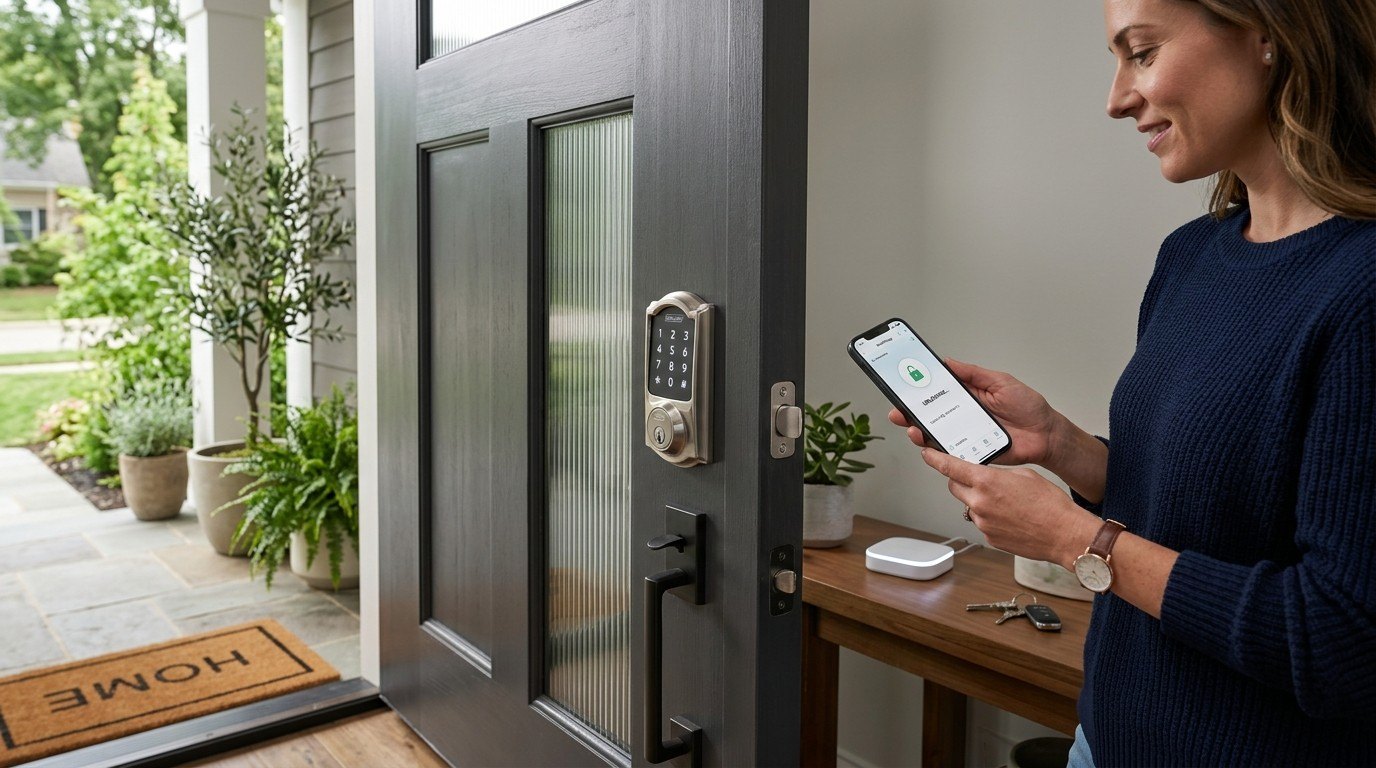
Coming home with groceries or heading out for a walk, fumbling for keys is never fun. You want your door to be secure, but also quick to unlock and easy to manage for your family or guests.
There are many smart locks out there, and Z-Wave models add another layer of options. Choosing the best Z Wave smart lock can be confusing. You have to think about hubs, compatibility, different ways to unlock, and how much you want to spend.
Some locks focus on security, others on convenience or style. A basic model might do everything you need, but premium ones offer extras that may or may not matter to you. It’s hard to know what is worth it and what you could skip.
This article will help you sort out what matters for your door and your routines, so you can pick a lock with confidence.
The following smart locks are compared by how they fit different needs and preferences. Whether you care most about security, ease of use, or flexibility, you’ll see the differences clearly.
Kwikset Homeconnect 620 Z-wave Keypad Lock
The Best Z Wave Smart Lock for homeowners who want secure, keyless entry and seamless integration with smart home hubs.

The Kwikset HomeConnect 620 brings secure, keyless convenience to your front door, making it easy to enter your home without searching for keys. With advanced Z-Wave 700 long-range compatibility, this lock connects directly to your smart home hub, ensuring reliable performance and control from anywhere.
Daily use is straightforward: set personalized codes for family, friends, or service providers, and manage up to 250 user codes with ease. Integration with the Ring Alarm system adds another layer of control and peace of mind, letting you check or operate your lock remotely without hassle.
- Strengths:
- Keyless entry eliminates lost or forgotten keys
- Supports up to 250 user codes—ideal for larger households or frequent guests
- Enhanced security with S2 encryption and SmartStart technology
- Compatible with most Z-Wave hubs and Ring Alarm
- Limitations:
- Requires a separate Z-Wave hub (not included)
- Physical keys still needed for backup
Who Will Benefit Most
If you’re looking for reliable, smart security that integrates smoothly with Z-Wave systems and Ring Alarm, this lock removes the hassle of keys and manual code management. It’s especially helpful for families, hosts, or anyone who needs to grant secure access to multiple people.
However, if you don’t already own a Z-Wave hub or prefer a fully standalone lock, you may want to explore other options. For most, setting up codes is simple, and knowing you can check your door’s status from anywhere provides ongoing confidence and convenience.
Remember to keep a physical key on hand for emergencies, but enjoy the daily freedom of going keyless.
Kwikset Homeconnect 918 Z-wave Touchscreen Lock
Best Z Wave Smart Lock for homeowners who want seamless integration with Ring Alarm or SmartThings for easy, secure keyless entry.

The Kwikset HomeConnect 918 Z-Wave Touchscreen Lock is a modern smart lock that brings advanced security and reliable connectivity to your front door. Designed to work seamlessly with Ring Alarm and Samsung SmartThings (hubs required, sold separately), it solves the hassle of managing physical keys and gives you easy, keyless access to your home.
The standout feature here is Z-Wave 700 long-range support, which ensures whole-home coverage and stable connection to your smart hub.
In everyday use, this lock feels intuitive and dependable—simply tap the touchscreen to enter your code and you’re in, no fumbling for keys. Code management is a breeze, letting you create up to 250 user codes for family, guests, or service providers, and update or delete them as needed.
The matte black finish looks sleek on any door, and knowing your entryway uses advanced S2 encryption adds an extra layer of confidence.
- What stands out:
- Touchscreen keyless entry for quick, secure access
- Effortless integration with Ring Alarm and SmartThings
- Customizable user codes for flexible sharing
- Advanced Z-Wave security with S2 encryption
- Consider before you buy:
- Requires a separate Z-Wave hub (not included)
- No traditional keyhole for manual override
Is This Smart Lock Right For You?
If you already use or plan to use a Ring Alarm or SmartThings hub, this lock is an excellent fit—especially if you value easy code management and want a no-fuss, secure way to let family and guests in. Those who don’t have a compatible Z-Wave hub should factor in the extra purchase, as this is essential for full functionality.
The HomeConnect 918 eliminates the stress of lost keys and keeps your entry log organized, making it ideal for busy households or anyone managing short-term rentals. For best performance, install the lock close enough to your hub for a strong Z-Wave signal, and take a few minutes to set up user codes for everyone who needs access.
With its robust security and user-friendly features, you can feel at ease about your home’s entryway security.
Yale Touchscreen Z-wave Deadbolt
The Best Z Wave Smart Lock for homeowners who want keyless entry and seamless integration with existing smart home systems.

The Yale Touchscreen Z-Wave Deadbolt is a modern smart lock designed to replace your existing deadbolt and bring true keyless convenience to your home. It solves the hassle of forgetting keys by allowing you to unlock your door with a simple code on a backlit keypad—and you can add it to your Z-Wave compatible smart home hub for remote access.
The inclusion of both auto-relock and two backup keys offers an extra layer of flexibility and peace of mind.
In daily use, this lock feels reliable and straightforward, whether you’re coming home with your arms full or leaving in a hurry. Installation is quick and tool-friendly, requiring only a screwdriver and no additional holes. If you’ve ever worried about whether you locked the door, this lock’s smart integration and auto-relock options help eliminate that uncertainty, letting you focus on what matters most.
- Strengths:
- Easy code-based entry—no more lost keys
- Works with major Z-Wave hubs (SmartThings, Ring, Wink, etc. )
- Supports voice control via Alexa (hub required)
- Simple installation with included hardware and batteries
- Backup physical keys for emergencies
- Limitations:
- Requires a separate, compatible Z-Wave hub for remote and smart features
- No dedicated Yale app for this model
Who Will Appreciate This Smart Lock
If you already use or plan to use a Z-Wave smart home system, this Yale lock fits seamlessly into your setup. It’s a strong match for busy households that want to ditch keys, automate their door locking, and check lock status from anywhere.
However, if you don’t have a Z-Wave hub or want native Yale app control, you may want to consider other options.
This lock removes the stress of lost keys and the second-guessing that comes with wondering if you locked up. For best results, set up auto-relock and test your codes with family members. Even if you’re new to smart locks, the included physical keys offer a comforting backup while you get used to the convenience.
Kwikset Z-wave Keypad Smart Lock
The Best Z Wave Smart Lock for homeowners seeking secure, keyless entry and seamless integration with Ring Alarm systems.

The Kwikset Z-Wave Keypad Smart Lock offers a reliable solution for those tired of fumbling with keys or worrying about lost copies. With Z-Wave 700 long range connectivity, it ensures your lock stays connected throughout your home, making remote access and control easy for anyone with a compatible smart hub.
Day-to-day use feels effortless: simply tap the touchscreen to unlock, no matter how your hands are occupied. Managing up to 250 unique codes is straightforward, so guests, family, or service providers can come and go without stress. Enhanced security features like S2 encryption and SmartStart technology mean you can trust your home is protected.
- Strengths:
- Direct integration with Ring Alarm for simple status checks and control
- Customizable user codes for flexibility
- Advanced Z-Wave security with S2 encryption
- Limitations:
- Requires a Z-Wave compatible hub (not included)
- Ring Alarm compatibility depends on owning a Ring smart hub
Who Will Appreciate This Lock
If you already have or plan to use a Z-Wave hub—especially Ring Alarm—this lock will streamline your daily routines and grant peace of mind. It’s excellent for busy families, frequent hosts, or anyone wanting to manage access codes without hassle.
However, if you don’t have a smart home hub or prefer app-based locks without a separate system, this may not be the best fit. The keypad interface is ideal for those who want straightforward, reliable security without relying solely on smartphones.
By customizing access codes and checking lock status remotely, you’ll reduce worries about lost keys or unauthorized entry. Tip: Take advantage of the code management feature to give each family member their own code, making tracking and updates much easier. Rest assured, the Kwikset Z-Wave Keypad Smart Lock brings security and convenience together for a calmer, more connected home.
Yale Assure Lock 2 Touch Deadbolt
The Best Z Wave Smart Lock for busy homeowners who want fast, secure, and keyless entry with advanced fingerprint recognition.
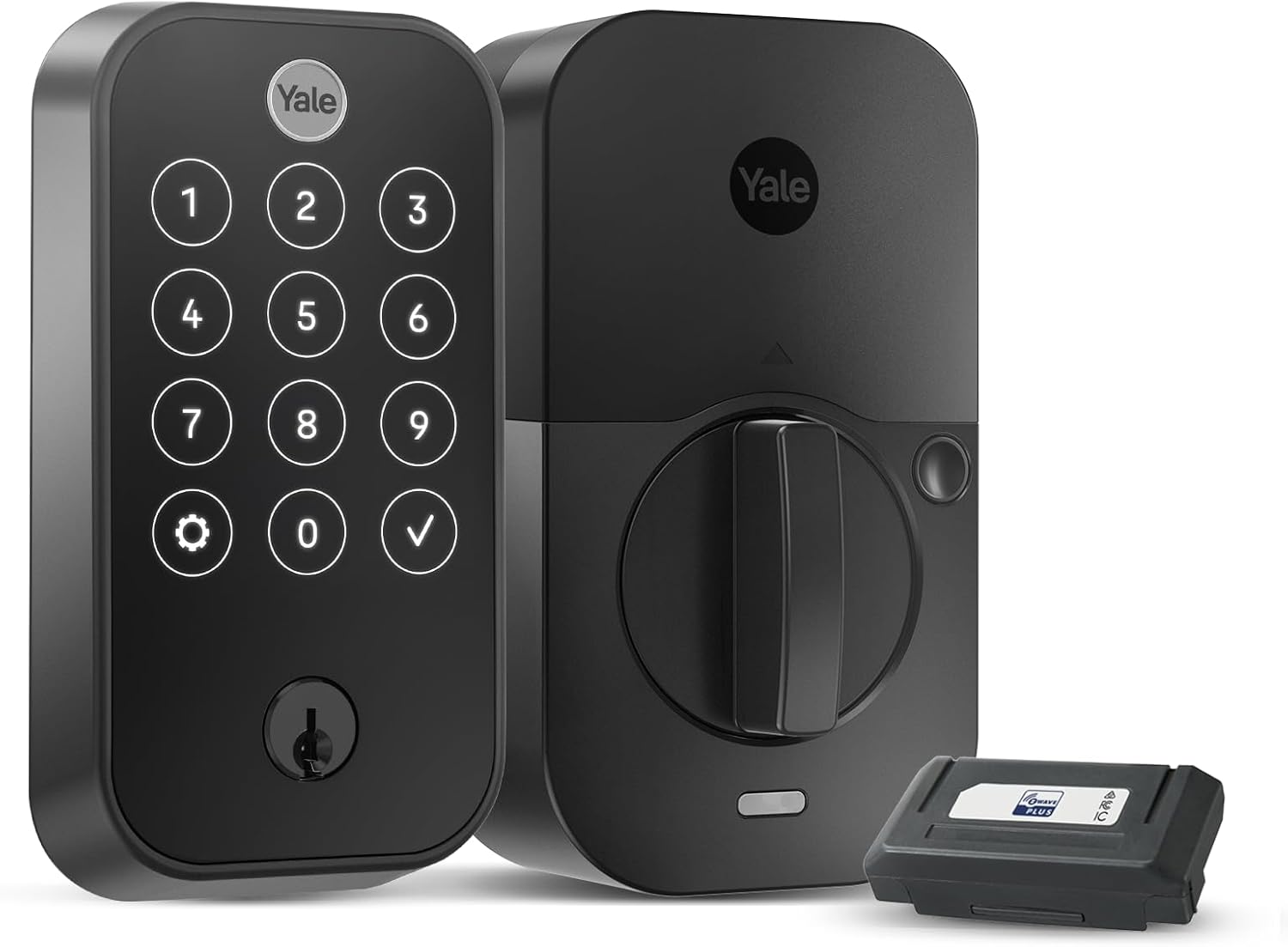
The Yale Assure Lock 2 Touch Deadbolt offers a seamless way to secure your home with your fingerprint—no more worrying about lost keys or remembering codes. Its integration with Z-Wave smart systems makes it ideal for those who want all their smart devices working together, and the auto-lock feature adds a layer of peace of mind.
Using this lock feels modern and effortless. Whether you’re rushing out the door or letting someone in remotely, the reliability of fingerprint access and app controls means you spend less time dealing with keys and more time doing what matters.
The matte keypad also resists smudges, keeping your entryway looking clean.
- Strengths:
- Highly accurate and fast fingerprint recognition
- Works with popular Z-Wave hubs like SmartThings and Ring Alarm
- Auto-lock for added security
- Remote access and notifications via app
- Biometric verification & two-factor authentication
- Limitations:
- Requires a compatible Z-Wave hub (not included)
- Priced higher than basic keypad locks
Who Will Appreciate This Lock?
If you want the convenience and security of fingerprint entry, and you already have or plan to build a Z-Wave smart home system, this lock will fit right in. It’s especially helpful for families, frequent travelers, or anyone tired of fumbling for keys.
Those without a Z-Wave hub or who prefer simpler locks might consider alternatives. But if you value seamless integration and robust access control, it takes away the stress of lost keys and forgotten codes. A practical tip: enroll all family members’ fingerprints for quick access, and use the app for guest entry when needed. Once installed, you can relax knowing your door is always secure—and unlocking it is as easy as a touch.
Smart Ways To Narrow Down Your Z-wave Lock Options
Think about how you want to access your door and which features matter most. Some locks favor touchscreens, while others rely on keypads or fingerprints. Decide if you need integration with a specific hub or smart home system. Consider installation complexity and how often you expect to change user codes.
Balance security features against simplicity for your daily routine.
Common Pitfalls And Who Should Look Elsewhere
- If you don’t have—or don’t plan to get—a Z-Wave hub, these locks won’t work for you.
- Expecting full app control without a compatible smart home system leads to frustration.
- Those who dislike regular battery changes may want traditional locks.
- Frequent guests or large households should check user code limits before choosing.
- Buyers who need simple installation should confirm door compatibility and thickness.
Best Z Wave Smart Lock Faq: Answers To Common Buyer Questions
Do I Need A Z-wave Hub For These Smart Locks?
Yes, all these locks require a compatible Z-Wave hub. Without one, smart features and remote access will not work.
Can I Use These Locks With Alexa Or Google Home?
Most Z-Wave locks can work with Alexa if your hub supports it. Google Home support varies, so check your hub’s compatibility.
What Happens If The Batteries Die?
Physical key access is usually available if batteries run out. Some models also offer backup power options.
Are These Locks Safe From Hacking?
Z-Wave locks use encrypted communication for added security. Still, strong codes and regular updates are important.
How Hard Is Installation For A Z-wave Smart Lock?
Most models fit standard doors and require only basic tools. Double-check your door’s thickness and lock compatibility before starting.
Can I Manage Multiple User Codes Easily?
Yes, most Z-Wave locks allow you to add, edit, or delete user codes through the hub or keypad. Some models support hundreds of codes.
Will These Locks Work If My Internet Goes Down?
The keypad and physical key will still operate. Remote access and app controls require internet and hub connectivity.
Steady Guidance For Your Smart Lock Decision
Choosing a Z-Wave smart lock comes down to your habits and home setup. If you have a compatible hub and value flexible access, you’ll find several solid options. Take your time and let practical needs guide your choice.
Smart locks offer convenience, but they also require thoughtful planning. With the right fit, you can enjoy secure, simple entry and peace of mind. Trust your judgment and select what suits your daily life best.